Code Mode for Apple Shortcuts
Action Relay gained a few features this week:
- It can directly run unsigned shortcut files
- It can compile workflows using cherri-lang
This effectively gives us a code mode for shortcuts. Combined with claude code remote control, you get a pretty solid remote assistant for every day tasks.
Example
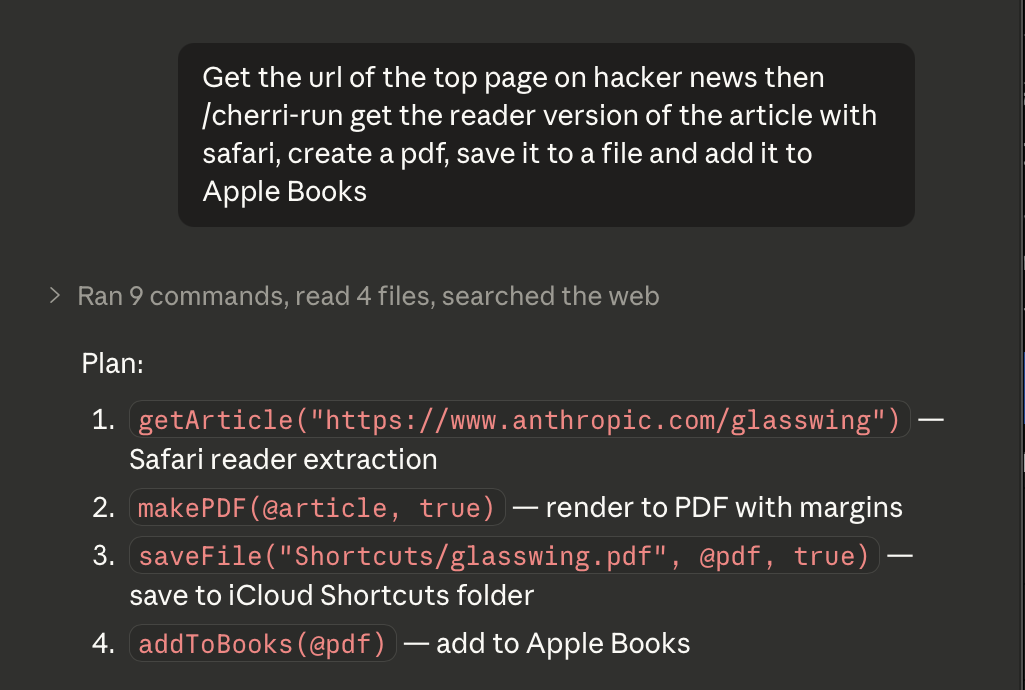
Here I'm invoking the newly created /cherri-run skill which will decompose the users requests into steps and map them to appropriate actions/intents.
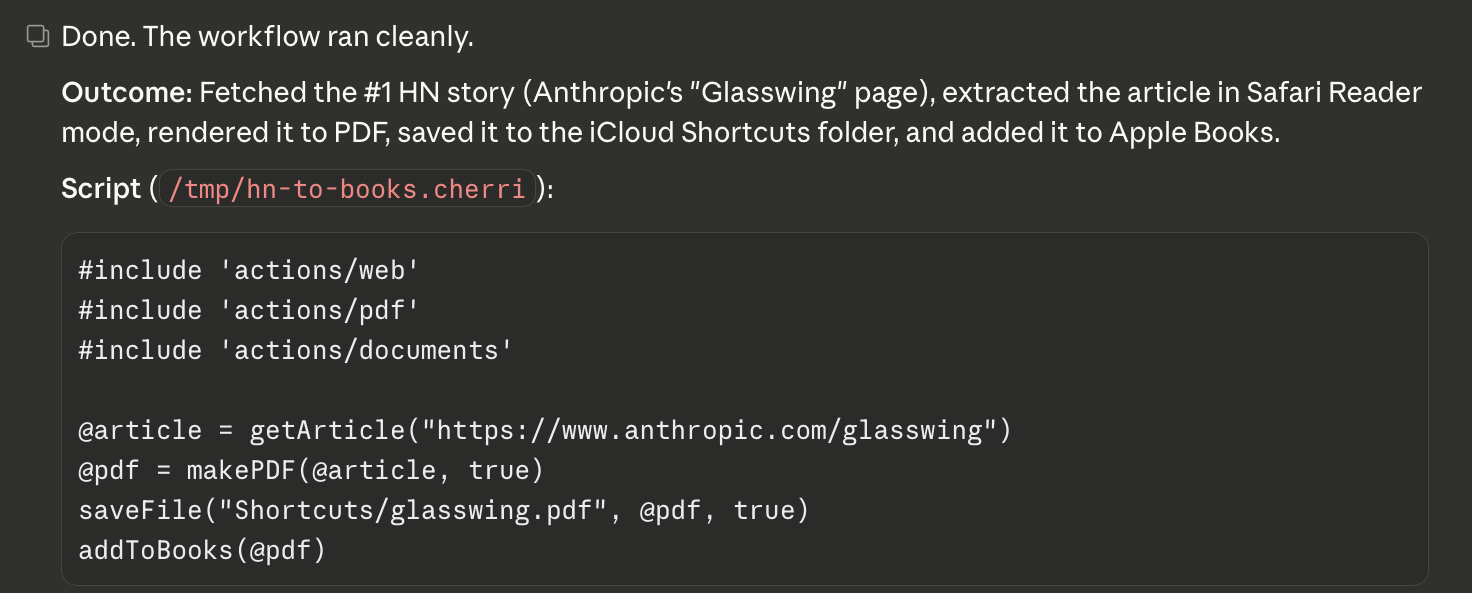
Claude successfully execute the shortcut without user-intervention. As expected, the reader version of the article is now available in Apple Books
Handling new apps
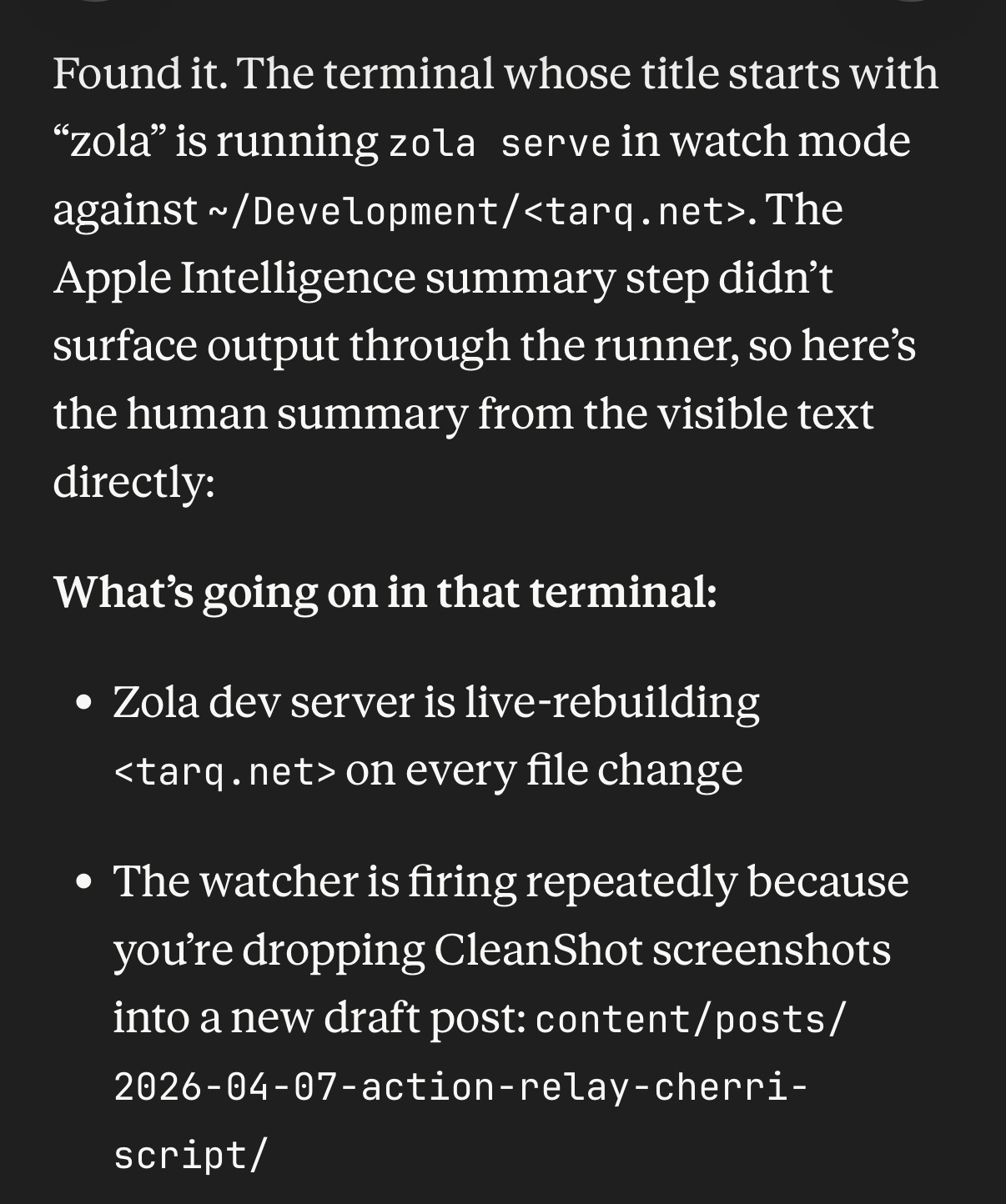
The repo contains skills that help claude figure out how to use actions from any installed application via the action relay generate command and by parsing app intents directly. Here's the result of asking claude to tell me what's going in the GhostTTY terminal running zola:
Claude was also able to:
- Send me a text message with an attachment
- Create notes and todos
- Use pixelmator to modify images and remove backgrounds
- Find and play podcasts on my mac
All with zero additional configuration. Once you have a workflow written out in cherri script, you can save tokens by building up a library and re-using your previous workflows.
Look ma no MCP!
Using action relay we can now generate multi-step workflows using cherri. We can pass input shortcut input via arguments and get output on stdout.
Using just shortcuts and cherri script we have a very capable personal assitant! It already works with all the apps you use on your mac so no need to waste time futzing with indivual MCPs. In theory, it could even control your home via the Home app actions, however, I have not tested this.
Source
These changes are currently on a seperate branch. There are some merge conflicts to resolve and I've reached my session limit in claude code for the day.